
SSGC Bill Check
Enter your 10-digit SSGC Consumer Number to check your gas bill.
Sui Gas Bill by Consumer Number
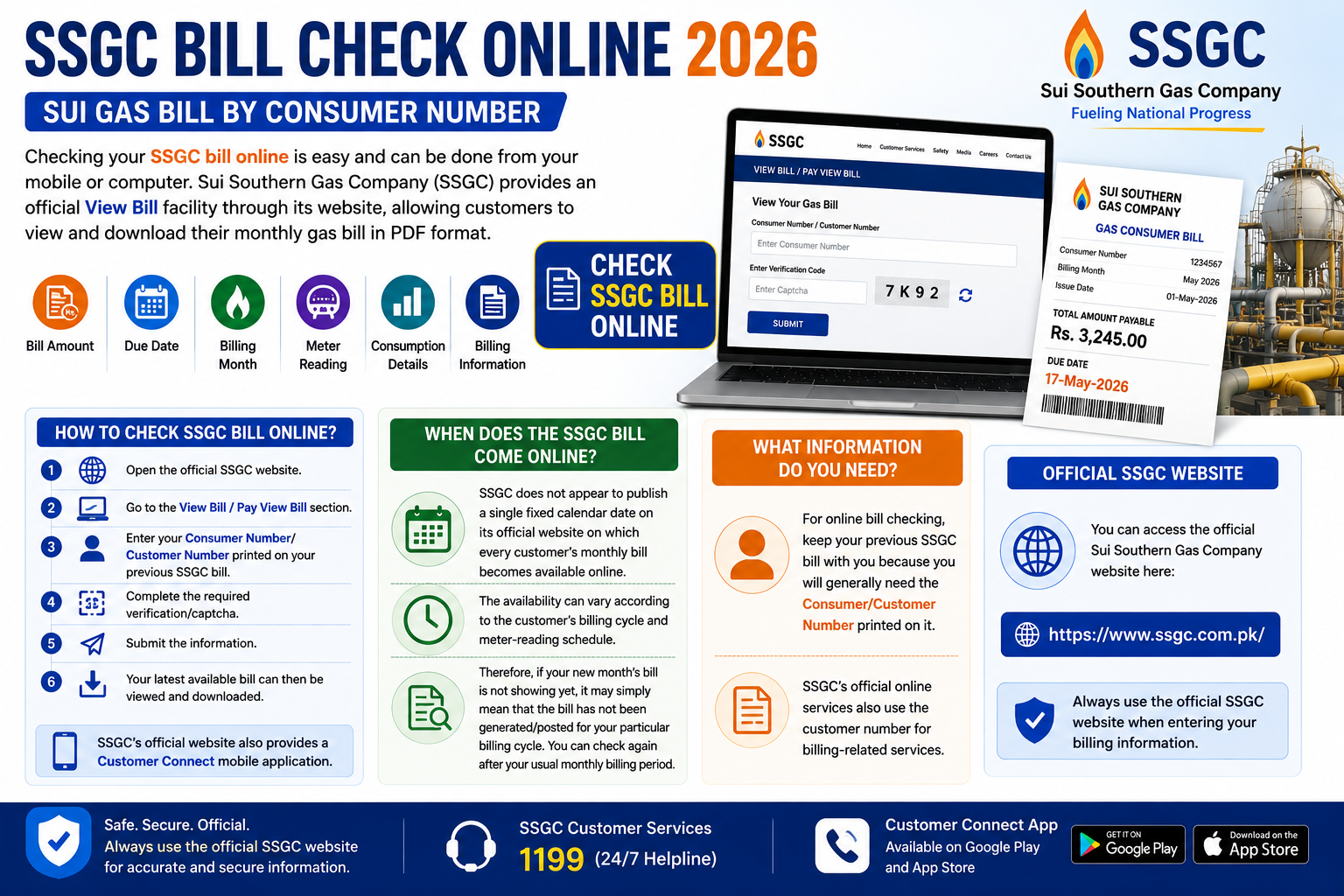
Checking your SSGC bill online is easy and can be done from your mobile or computer. Sui Southern Gas Company (SSGC) provides an official View Bill facility through its website, allowing customers to view and download their monthly gas bill in PDF format.
How to Check SSGC Bill Online?
To check your SSGC gas bill online:
- Open the official SSGC website.
- Go to the View Bill / Pay View Bill section.
- Enter your Consumer Number/Customer Number printed on your previous SSGC bill.
- Complete the required verification/captcha.
- Submit the information.
- Your latest available bill can then be viewed and downloaded.
SSGC’s official website also provides a Customer Connect mobile application through which customers can access billing information and previous records.
When Does the SSGC Bill Come Online?
SSGC does not appear to publish a single fixed calendar date on its official website on which every customer’s monthly bill becomes available online. The availability can vary according to the customer’s billing cycle and meter-reading schedule.
Therefore, if your new month’s bill is not showing yet, it may simply mean that the bill has not been generated/posted for your particular billing cycle. You can check again after your usual monthly billing period.
What Information Do You Need?
For online bill checking, keep your previous SSGC bill with you because you will generally need the Consumer/Customer Number printed on it. SSGC’s official online services also use the customer number for billing-related services.
Official SSGC Website
You can access the official Sui Southern Gas Company website here:
SSGC Official Website – View Bill
Always use the official SSGC website when entering your billing information.
Also Read; SNGPL Bill Check Online